
05 · Live teaching inside AcademyBase
Teach with video, course material and chat in one classroom.
Teachers and learners join a live classroom with the lesson material, whiteboard tools, participant controls and translated chat ready beside them.
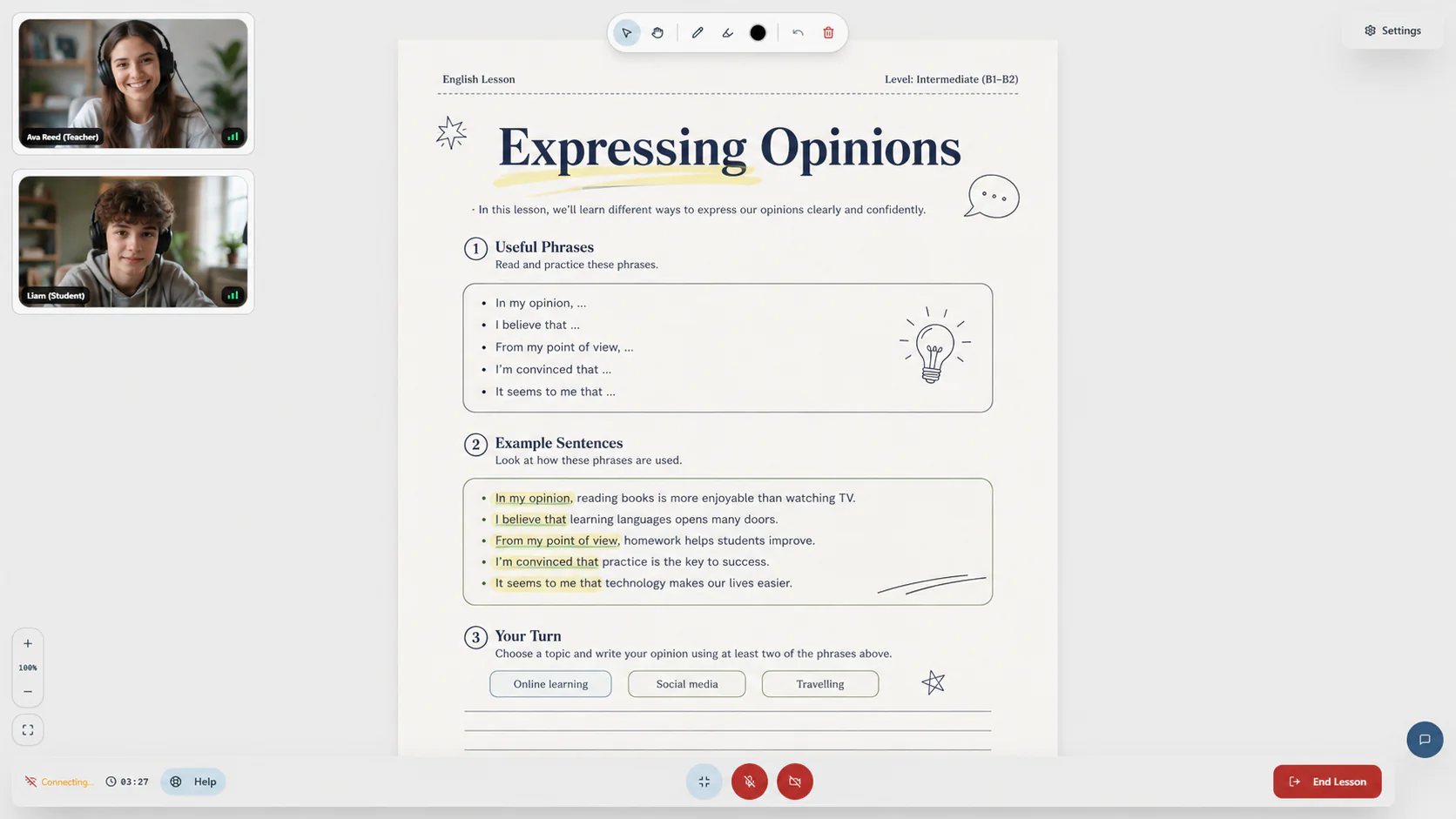
Teachers can start the lesson with the people and material already together, instead of setting up a separate video call.
See the people and the lesson
Keep teacher, learner and course material on the same screen.
Live video stays visible beside a large lesson area, so everyone can see one another without making the teaching material difficult to read.
- Teacher and learner cameras
- Large lesson viewport
- Simple join and lesson controls
Start with the material ready
Open the course content directly and explain it with whiteboard tools.
Material added while building the course can appear in the classroom without the teacher downloading and uploading it again. Drawing and typing tools help with live explanation.
- Course-connected material
- Drawing and typing tools
- Student drawing control
Chat across languages
Translate classroom messages and keep them with the lesson record.
Teachers and learners can message during class and translate messages when needed. Saved chat can remain available with the past lesson information.
- In-classroom messaging
- Message translation
- Preserved lesson context
Manage real classroom situations
Handle waiting rooms, attendance and teacher no-shows as part of the academy.
Participant controls and lesson records help the academy respond when someone is waiting, absent or needs support, rather than leaving each class as an isolated video call.
- Participant and waiting-room management
- Teacher no-show detection
- Auditable attendance context
Start with a private account
Ready to plan how AcademyBase could work for your academy?
Create an account and tell us about the academy you want to launch or improve. Your plan stays inside your private dashboard, and we review it before recommending the right setup.