
03 · From course choice to live lesson
Give learners a clear way to choose, book and attend lessons.
Learners can browse courses and teachers, buy credits, book available times and review past lessons from one straightforward account.
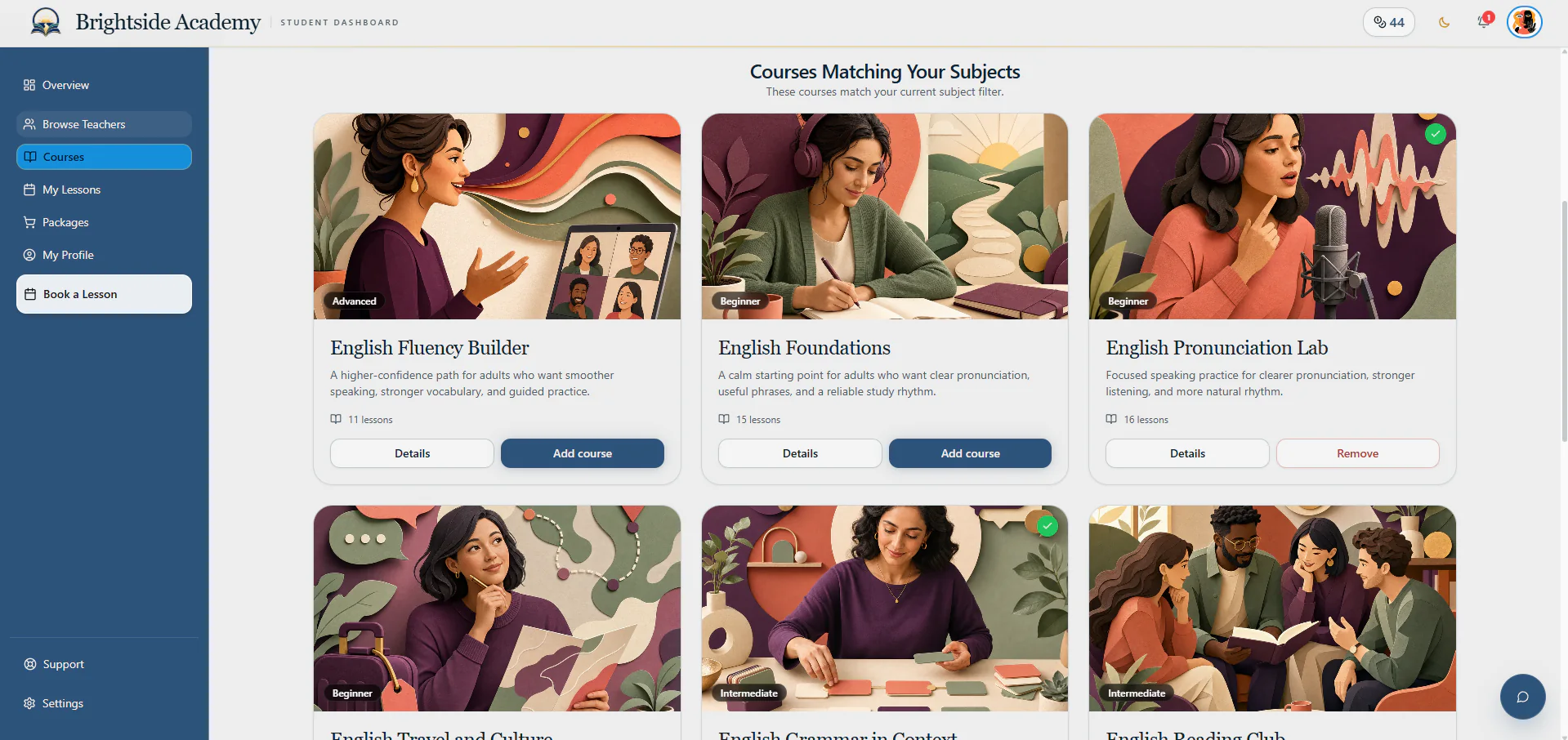
Learners always know what they have, what is booked and what they can do next.
See what comes next
Show the next lesson, available credits and active courses first.
The learner overview answers the immediate questions: what is booked, how many credits are available and whether anything needs attention.
- Upcoming bookings
- Credits and active courses
- Personal action list
Find the right teacher
Compare teachers who offer the subject the learner wants.
Learners can read relevant teacher profiles, save favourites and start a booking when they find a suitable match.
- Subject-first discovery
- Teacher profile context
- Favourite and booking actions
Choose a course
Browse the course catalogue and keep selected courses in order.
Course cards explain the available learning options. When a learner chooses more than one course, the queue keeps them organised and moves through lessons in sequence.
- Clear course catalogue
- More than one active course
- Lessons followed in the correct order
Buy lesson credits
Compare packages and individual credits for the chosen subject.
The learner shop explains the price, credits and features of each package, making it easier to choose an option that fits the learning goal.
- Subject-aware packages
- Individual credit option
- Clear purchase path
Book step by step
Choose a course, teacher and available time, then confirm.
The booking flow asks for one decision at a time and shows a clear summary before the lesson is confirmed.
- Choose a course or learning path
- Select a relevant teacher
- Pick available time and confirm
Manage upcoming and past lessons
Keep lesson details and eligible changes inside the learner account.
Learners can review what is coming, cancel or reschedule when allowed, and return to past lesson information without searching through email.
- Upcoming lesson view
- Cancellation and rescheduling
- Lesson history and material context
Keep a useful learner profile
Share relevant learning information with the teachers involved.
The learner profile stores personal and learning information that can help with teaching, while limiting access to the teachers and academy staff who need it.
- Personal profile
- Learning context
- Controlled teacher visibility
Get help and manage the account
Contact the academy and review settings, orders and documents.
Learners have a clear support route and one place for personal preferences, notification settings, order history and academy documents.
- Academy support request
- Appearance and notifications
- Order and legal records
Start with a private account
Ready to plan how AcademyBase could work for your academy?
Create an account and tell us about the academy you want to launch or improve. Your plan stays inside your private dashboard, and we review it before recommending the right setup.