
04 · A professional website for your academy
Market your academy with a website connected to the way you operate.
Your public website uses your academy’s brand and presents the courses, packages and answers you manage inside AcademyBase.
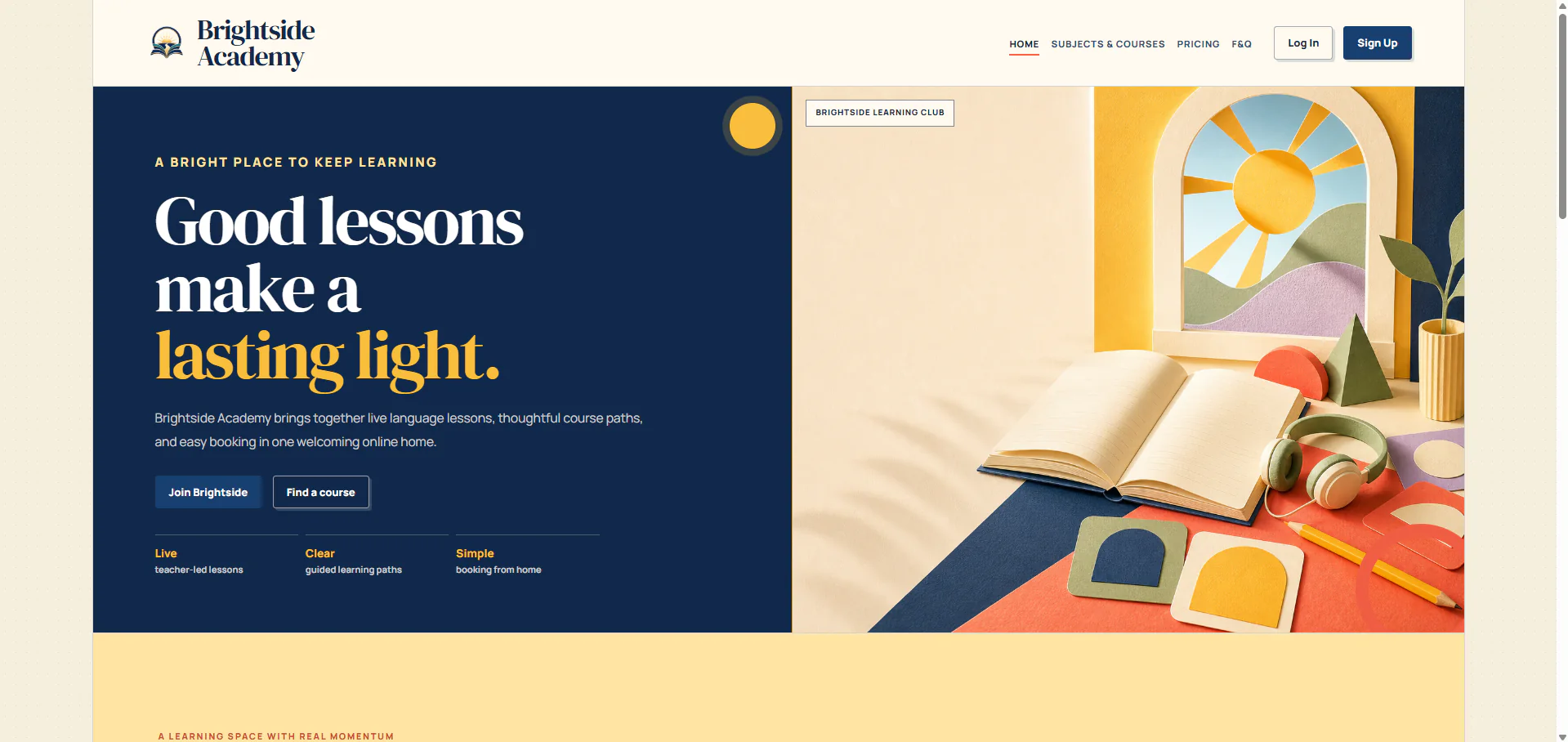
Your customers see your academy and your brand, while you manage the content from one place.
Designed around your brand
Give visitors a website that looks and feels like your academy.
The Brightside example shows how far the design can be tailored with its own layout, colours and calls to action, while the website stays connected to the working academy behind it.
- Design tailored to your academy
- Works across phones and computers
- Clear next steps for visitors
Show what learners can study
Present courses clearly, with enough detail to make a decision.
Public course pages turn the catalogue you manage into easy-to-browse options, with filters, useful descriptions and a direct next step.
- Subject and audience filtering
- Visual course cards
- Direct route to the academy account
Explain packages and pricing
Help visitors compare lesson packages that fit their needs.
Package pages show the subject, intended learner, price and offer details together, making the choices easier to understand and compare.
- Audience-aware presentation
- Subject-led package discovery
- Comparable offer cards
Answer common questions early
Publish helpful answers before a visitor needs to contact support.
Write and update answers in your dashboard, then publish them in a readable FAQ section on the public website.
- Dashboard-managed answers
- Readable public presentation
- Fewer avoidable support questions
Start with a private account
Ready to plan how AcademyBase could work for your academy?
Create an account and tell us about the academy you want to launch or improve. Your plan stays inside your private dashboard, and we review it before recommending the right setup.