
02 · Everything a teacher needs for the week
Give teachers one place to manage their schedule, lessons and pay.
Teachers can set availability, review bookings, prepare for learners, track earnings and contact the academy without jumping between separate tools.
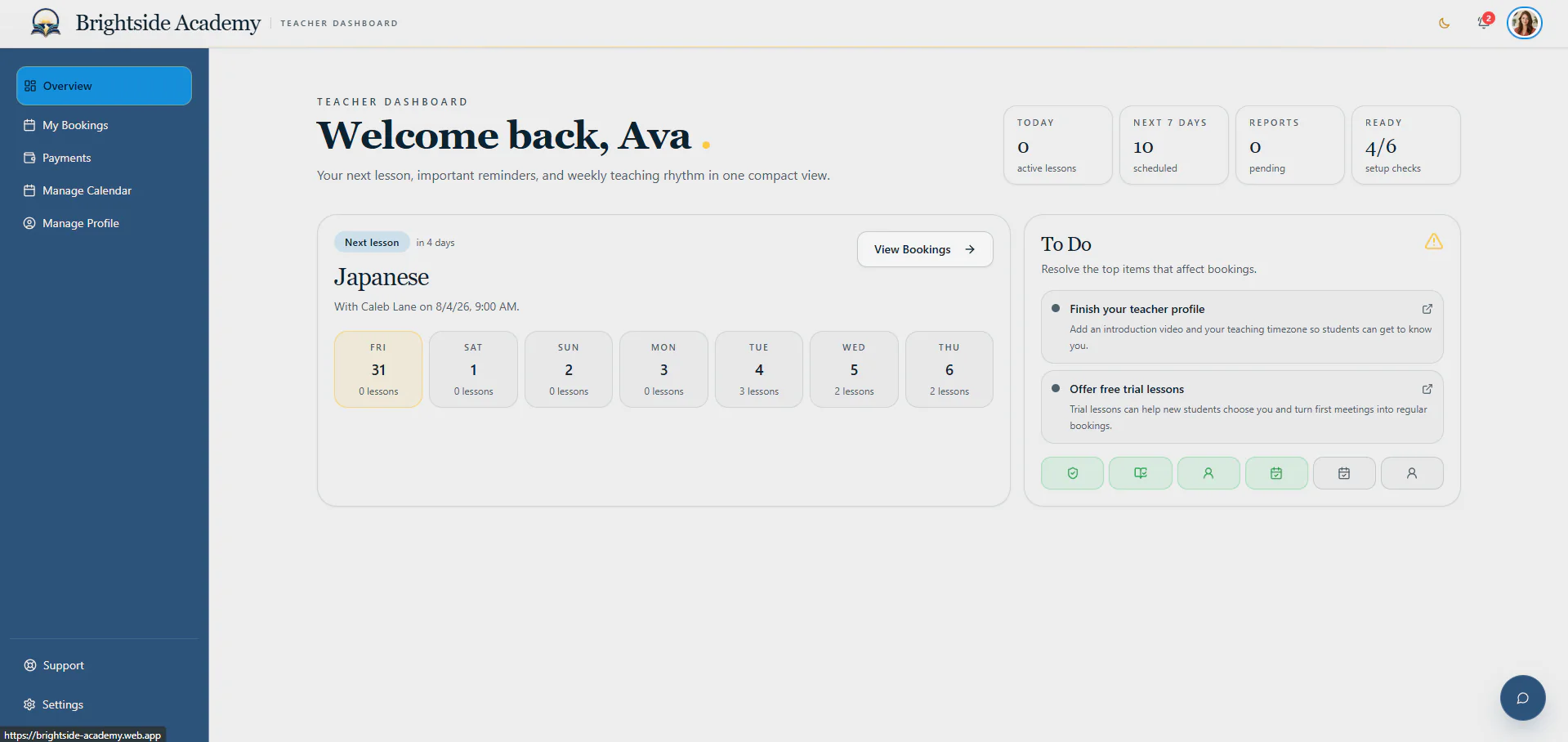
Teachers spend less time finding information and more time preparing for and delivering lessons.
Start with the next lesson
See the week ahead and any work that still needs attention.
The teacher overview shows the next booking, the week’s schedule and outstanding tasks such as lesson reports or profile updates.
- Next lesson details
- Weekly schedule
- Outstanding reports and profile tasks
Review every booking
See the learner, lesson and material before class starts.
Upcoming and past bookings keep the important details together, including the learner, lesson material, cancellation information and classroom record.
- Upcoming and past bookings
- Learner and lesson details
- Cancellation and classroom records
Understand every payment
Give teachers a clear view of earnings, timesheets and invoices.
Teachers can see what they have earned from completed lessons and review the timesheet information used to prepare their invoice.
- Earnings summary
- Timesheet review
- Invoice access
Set a teaching schedule
Open available times and see confirmed lessons on the same calendar.
Teachers decide when learners may book them, block time when they are unavailable and open confirmed lesson details directly from the calendar.
- Open and closed availability
- Calendar booking view
- Direct access to booking detail
Show learners who will teach them
Let teachers maintain a clear, trustworthy public profile.
Teachers can update their introduction, video, teaching details, preferred audiences and subjects, giving learners useful information before they book.
- Public profile and introduction video
- Audience and trial preferences
- Subject participation and pay-term acceptance
Ask the academy for help
Send a support request without leaving the teacher dashboard.
Teachers choose a category, explain the issue and send it directly to the academy team responsible for helping them.
- Academy support requests
- Structured categories
- Clear issue detail
Manage the teacher account
Keep appearance, security, notifications and documents easy to find.
Teachers can manage personal account preferences and review important academy documents without those settings getting in the way of lesson work.
- Light and dark appearance
- Security and notification preferences
- Platform and legal documents
Start with a private account
Ready to plan how AcademyBase could work for your academy?
Create an account and tell us about the academy you want to launch or improve. Your plan stays inside your private dashboard, and we review it before recommending the right setup.